
Link your Riot accounts
Your League of Legends and Teamfight Tactics boxes show the rank and matches of the Riot accounts you link to LoboBot. You can link them in two ways:
- Riot Sign On (recommended): sign in with Riot once, and LoboBot adds your League of Legends and Teamfight Tactics accounts for you.
- By Riot ID: type your
Name#TAGand prove the account is yours with a profile icon.
What you need: a LoboBot account (see Create an account) and a Riot account you play League of Legends or Teamfight Tactics with.
Everything happens on the Riot Accounts page of the dashboard: one card for League of Legends and one for Teamfight Tactics.
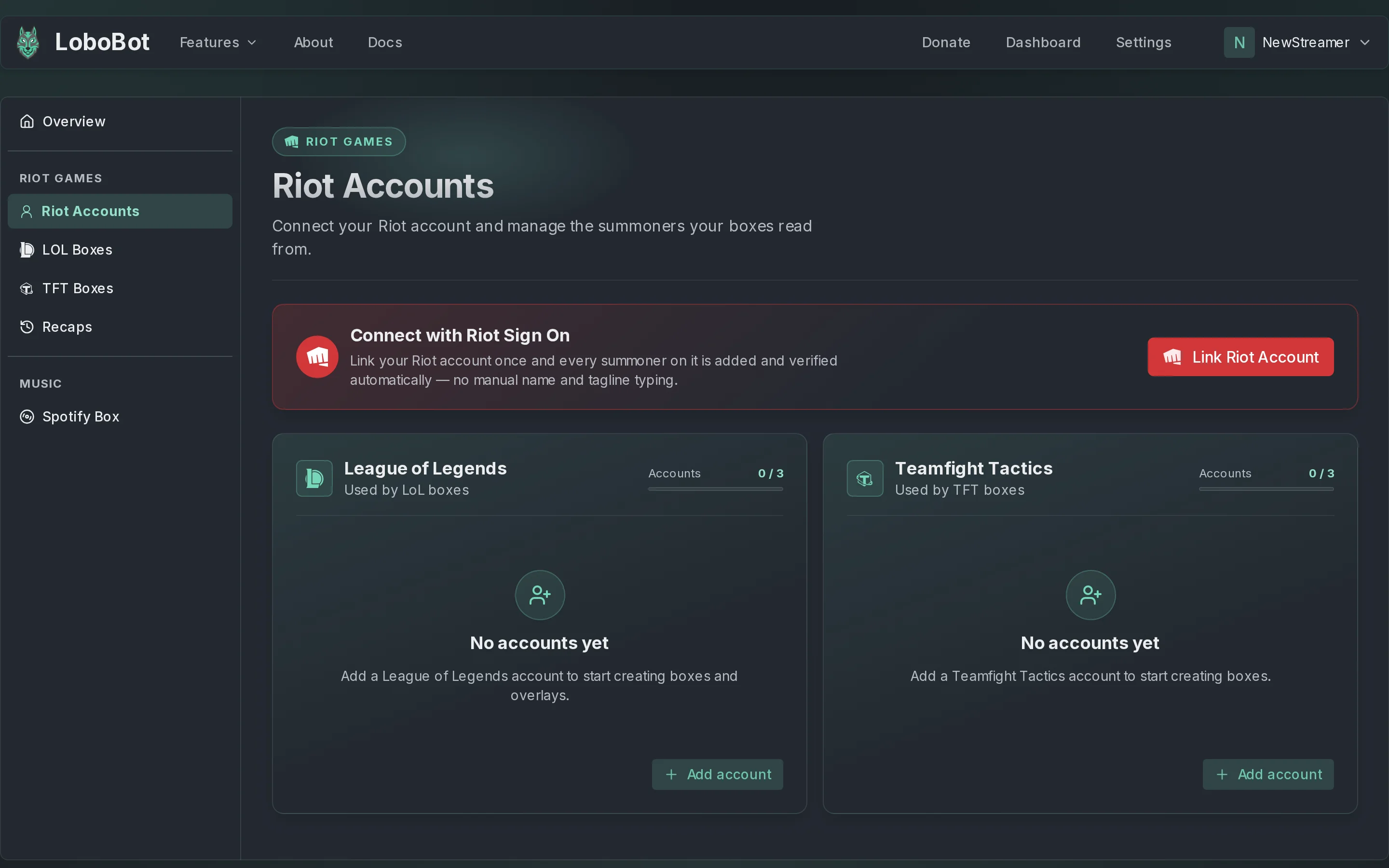
Link with Riot Sign On
Riot Sign On adds the League of Legends and the Teamfight Tactics account of your Riot account in one go, with the right region, and marks them as verified. You do not need to change your profile icon.
- In the dashboard, open Riot Accounts.
- In the Connect with Riot Sign On panel, click Link Riot Account.
- Sign in on the Riot page and allow LoboBot to access your account.
- LoboBot takes you back to Riot Accounts. Your accounts are listed with a check badge next to their name: hover it to read Verified through Riot Sign On.
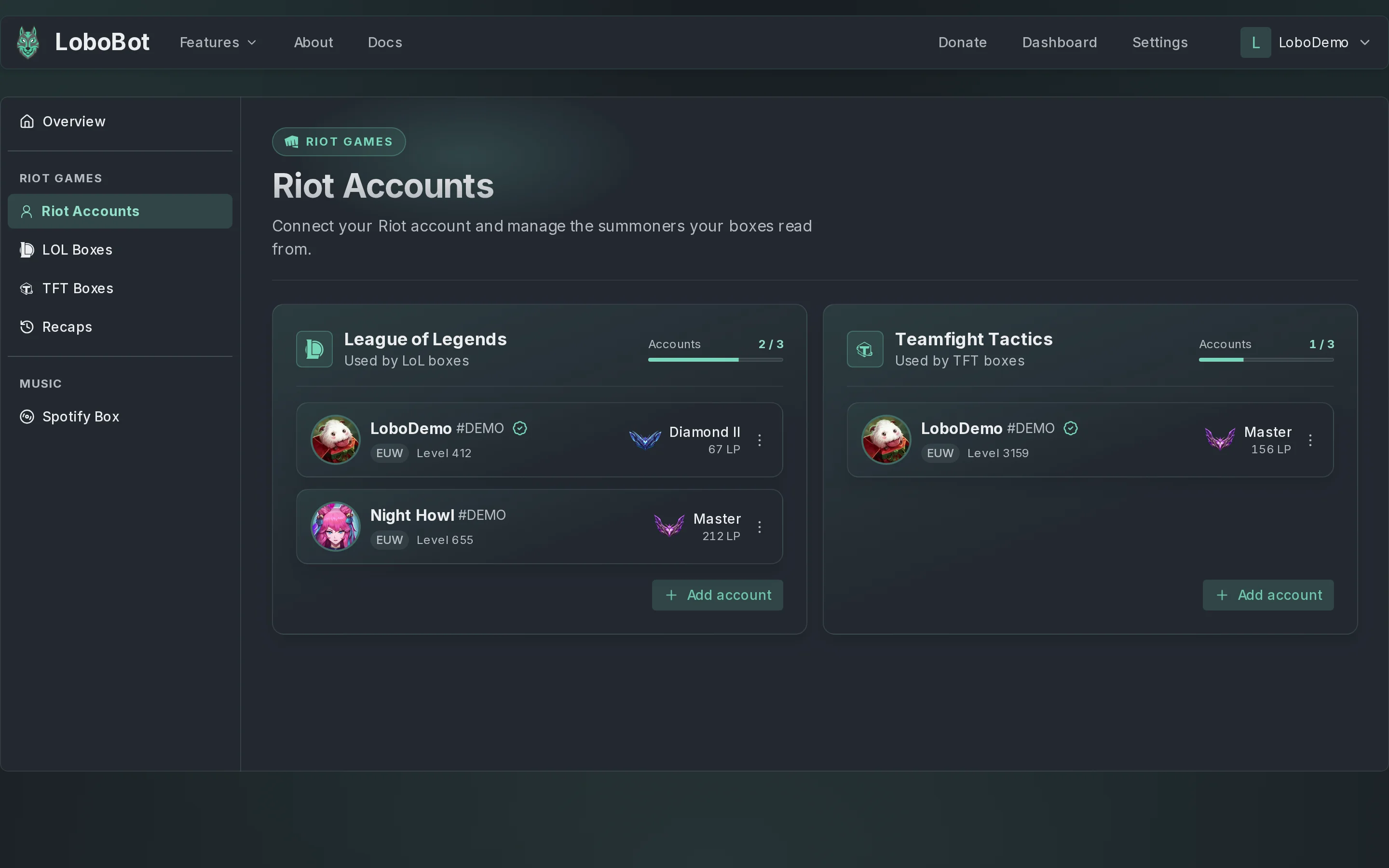
LoboBot adds the accounts in the background. If they are not listed when you land back on the page, reload it.
If you had already added one of those accounts by Riot ID, Riot Sign On marks it as verified instead of adding it twice.
Once one of your accounts is verified through Riot Sign On, the panel no longer shows. To add accounts from another Riot account, use Add account.
Add an account by Riot ID
In the game, set the Wolf as your profile icon. LoboBot checks it to make sure the account is yours.

In Riot Accounts, click Add account on the League of Legends or the Teamfight Tactics card.
In Riot Name and Tagline, type your Riot ID: your name,
#and your tag, as inLoboDemo#DEMO.In Region, pick the server you play on. It starts on EUW. See Regions.
Click Add account. LoboBot confirms with Account added.
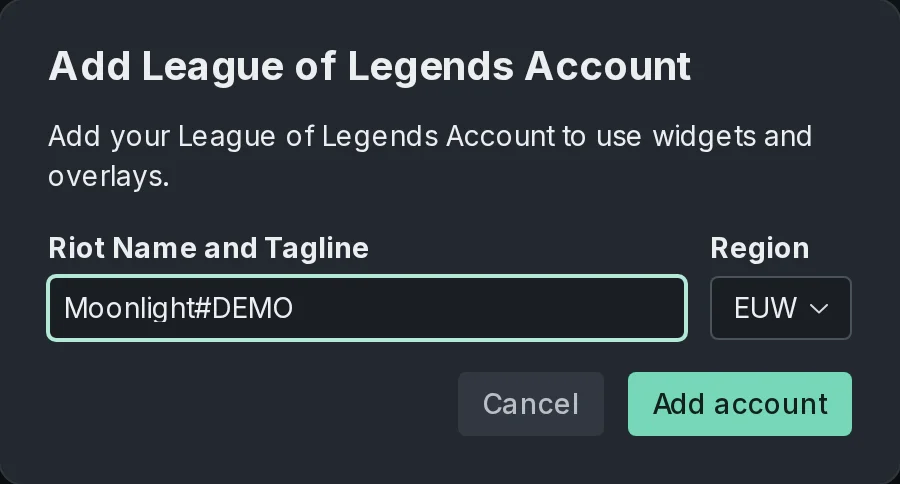
LoboBot only checks the icon while it adds the account. Once the account is listed, you can switch back to any icon you like.
Riot ID rules
| Part | Rule |
|---|---|
| Name | 3–16 characters, before the #. |
| Tag | 2–5 characters, after the #. |
Regions
Pick the region of the server where you play. Riot Sign On picks it for you.
| Region | Server |
|---|---|
| BR | Brazil |
| EUNE | Europe Nordic & East |
| EUW | Europe West |
| JP | Japan |
| KR | Korea |
| LAN | Latin America North |
| LAS | Latin America South |
| ME | Middle East |
| NA | North America |
| OCE | Oceania |
| TR | Türkiye |
| RU | Russia |
| SG | Southeast Asia |
| TW | Taiwan |
| VN | Vietnam |
How many accounts you can link
You can link up to 3 League of Legends accounts and 3 Teamfight Tactics accounts. The Accounts meter on each card shows how many you have. When it is full, Add account is disabled and the card says Account limit reached.
Delete an account
- On the account's card, click the three-dot menu.
- Click Delete account.
- Click Delete to confirm.
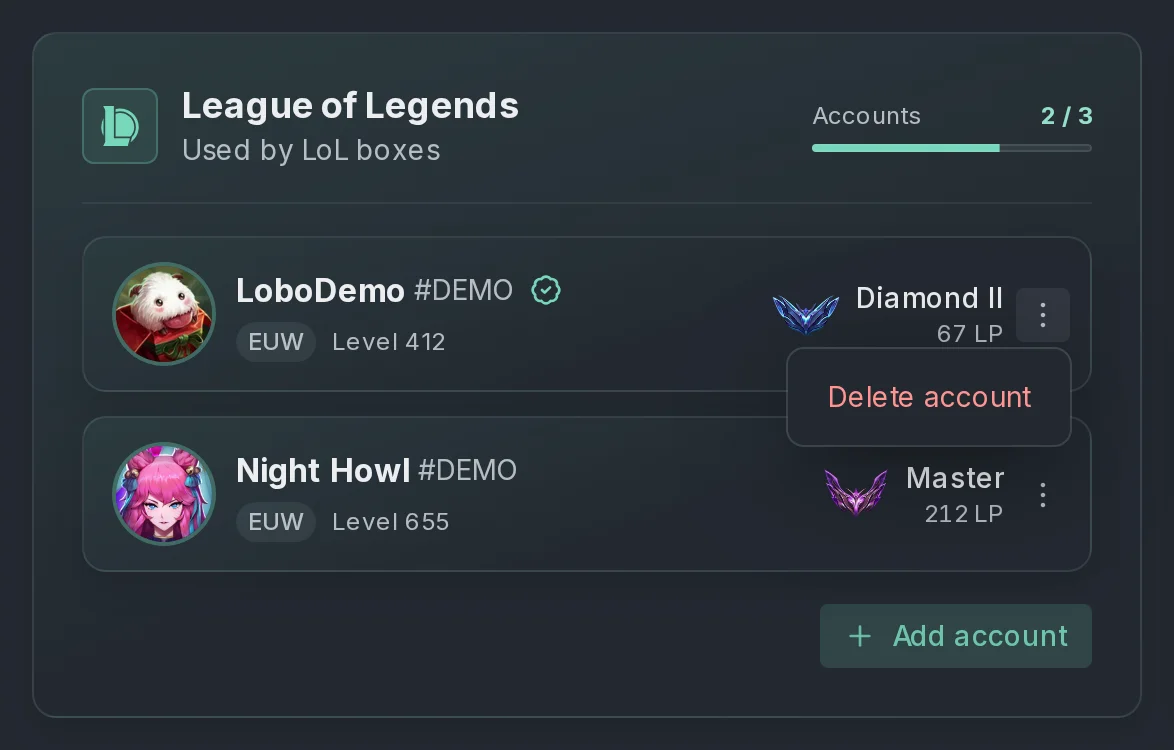
Deleting an account deletes its boxes
Every box that reads from the account is deleted with it, and their URLs stop working in OBS. This cannot be undone.
If an account cannot be added
LoboBot shows one of these messages when it cannot add an account by Riot ID:
| Message | Why | Fix |
|---|---|---|
| Use your full Riot ID, for example Name#TAG | The Riot ID has no # and tag. | Type the whole Riot ID, as in LoboDemo#DEMO. |
| That game name is not valid | The name is shorter than 3 or longer than 16 characters. | Check the name in your Riot client. |
| That tag line is not valid | The tag is shorter than 2 or longer than 5 characters. | Check the tag after the #. |
| We could not find that summoner | Riot has no player with that Riot ID in the region you picked. | Check the spelling and the Region. |
| Set the Wolf profile icon in the game to verify the account is yours | Your profile icon is not the Wolf. | Set the Wolf icon in the game, then click Add account again. |
| You already added this account | The account is already on the card. | Nothing to do. |
| You reached the maximum number of accounts | The card is full. | Delete an account you no longer use. |
| Riot did not return the champion mastery, try again | Riot did not answer in time while LoboBot added a League of Legends account. | Click Add account again. |
If Riot Sign On ends on Could not connect your Riot account, the Riot sign-in was cancelled or expired. Go back to Riot Accounts and click Link Riot Account again.
Next steps
- League of Legends boxes: create your first box.
- Teamfight Tactics boxes: show your TFT rank.
- Connections: see or disconnect your Riot Sign On connection.