LoL box versions
League of Legends boxes come in eight versions. All of them show your rank and LP; they differ in what else they show and in how much you can change. You pick one on the Box version step when you create a box.
Every version has the same first option, Queue Type: Solo Queue or Flex Queue. The sections below list the rest.
You can switch later
To try another version, select the box, click Edit box and click Box version in the steps bar. The URL stays the same, so OBS needs no change.
Compare the versions
| Version | What it shows | What you can change | Best for |
|---|---|---|---|
| v8 · Integrated on top | A slim bar at the top of the source that cycles through your rank, name, today's games and last match | Which blocks show and their order, timing, colors, presets | A minimal strip along the top of your scene |
| v7 · Customizable | A wide banner: your rank badge, plus blocks that take turns: name and region, games and win rate, today's W/L and KDA, top champions, match history | Which blocks show and their order, timing, gradient, colors, borders, presets | The most information, with today's stats, styled to match your stream |
| v6 · With session | The same kind of banner, with the W/L and KDA of the games you play while the source is open | Timing | Tracking how this stream's games go |
| v5 · Simple with history | Rank, LP and win rate, with the KDA of your latest games | Number of games, background color | Your rank plus your recent form |
| v4 · Animated Emblems | An animated emblem around your profile icon, with your name, rank and match history | Layout, animation, the rotating section | An eye-catching animated emblem |
| v3 · Simple | Your tier and LP on one line | Dark or light theme | The smallest box: just your tier and LP |
| v2 · Old Ranked Emblems | The old ranked emblem with your profile icon and level, name, rank, wins and losses | What to show, floating animation | The look of the old ranked emblems |
| v1 · Classic | A card with your profile icon, name, rank, queue, wins, losses and league emblem | Nearly every size, color and shadow, presets | A card you style down to the last detail |
v8: Integrated on top
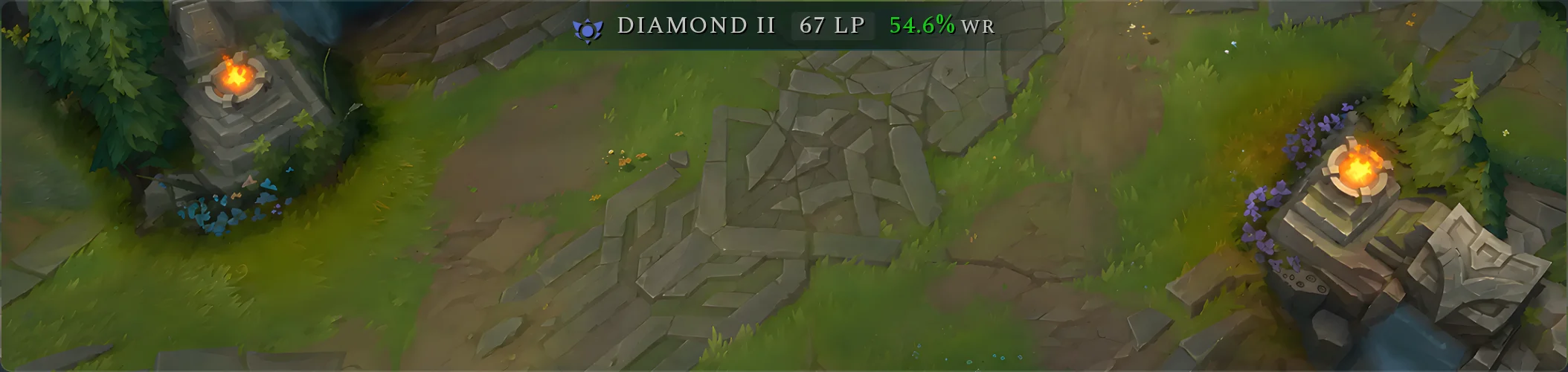
A slim bar that sits at the top center of the source. It shows one block at a time and moves to the next one after the Delay between (ms) you set.
| Option | What it does |
|---|---|
| Blocks | Turn each block on or off and drag them into the order you want. At least one stays on. Ranked Info: tier, LP and win rate. Summoner Info: your name and region. Today Games: today's wins, losses and KDA. Last Match: the result, champion and K/D/A of your last game. |
| Delay between (ms) | How long each block stays on screen: 1 to 10 seconds. |
| Style | Background, Border and Text colors. |
| Presets | Default, Highlight or Pink. |
"Today" starts at midnight on the computer that runs OBS, and counts your last 10 games in the queue.
v7: Customizable
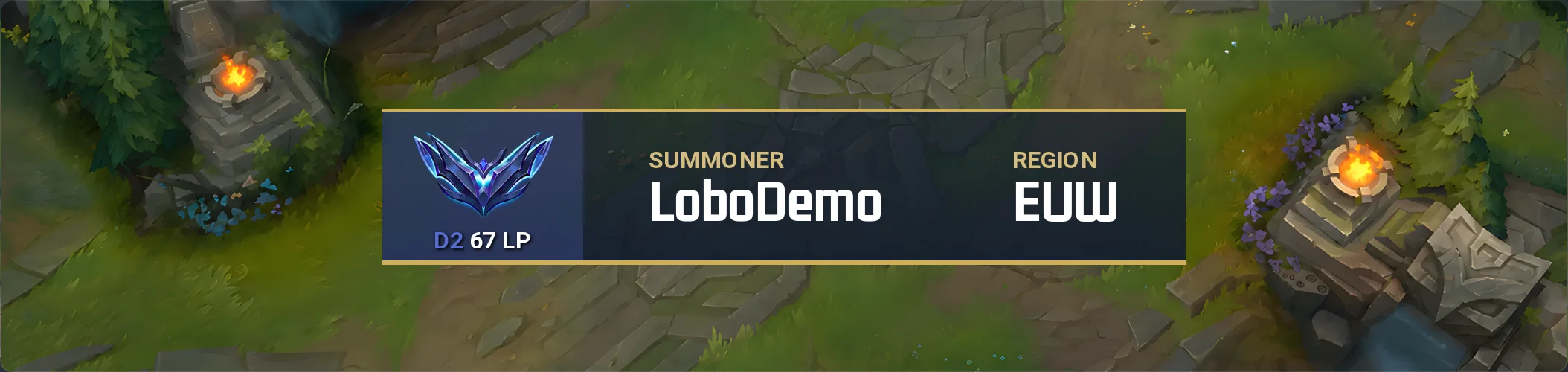
A wide banner with your rank badge on the left. On the right, the blocks you turn on take turns.
| Option | What it does |
|---|---|
| Blocks | Turn each block on or off and drag them into the order you want. At least one stays on. Summoner Info: name and region. Games Winrate: games, win rate and queue. Session and KDA: today's W/L and KDA. Champion Mastery: your top champions. Match History: your last 10 games. Promotion is in the list but the box does not show it. |
| Delay between (ms) | How long each block stays on screen: 1 to 10 seconds. |
| Background primary color, Background secondary color | The two colors of the background gradient. |
| Background gradient rotation, Background gradient percent | The angle of the gradient (0–360°) and where the second color starts. |
| Tier auto color | Colors the rank badge after your tier. |
| Text color, Highlight color | The color of the values and of the block titles. |
| Border top width, Border top color, Border bottom width, Border bottom color | The lines above and below the banner, up to 5 px thick. |
| Presets | Default, Pinky, Transparent or Green. |
v7 needs two OBS settings turned off, and its W/L can show the session instead of today: see Boxes v6 and v7.
v6: With session
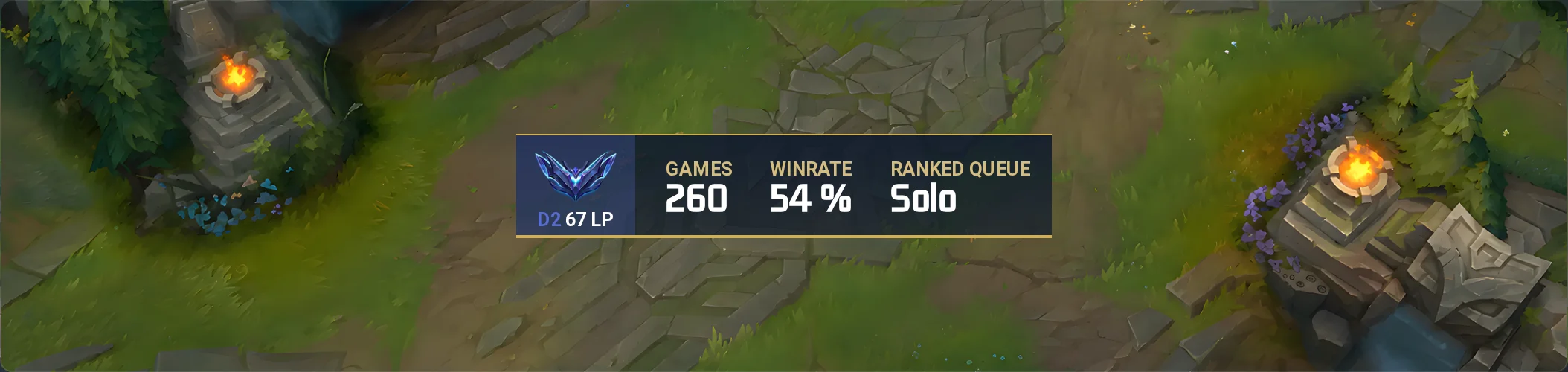
A banner like v7's, with a fixed set of blocks that take turns: games and win rate, SESSION W/L and SESSION KDA, champion mastery, match history, and your name and region. The session counts the games that start after the source loads.
| Option | What it does |
|---|---|
| Delay between (ms) | How long each block stays on screen: 3 to 10 seconds. |
If OBS reloads the source, the session starts again from zero. Turn off the two OBS settings in Boxes v6 and v7.
v5: Simple with history
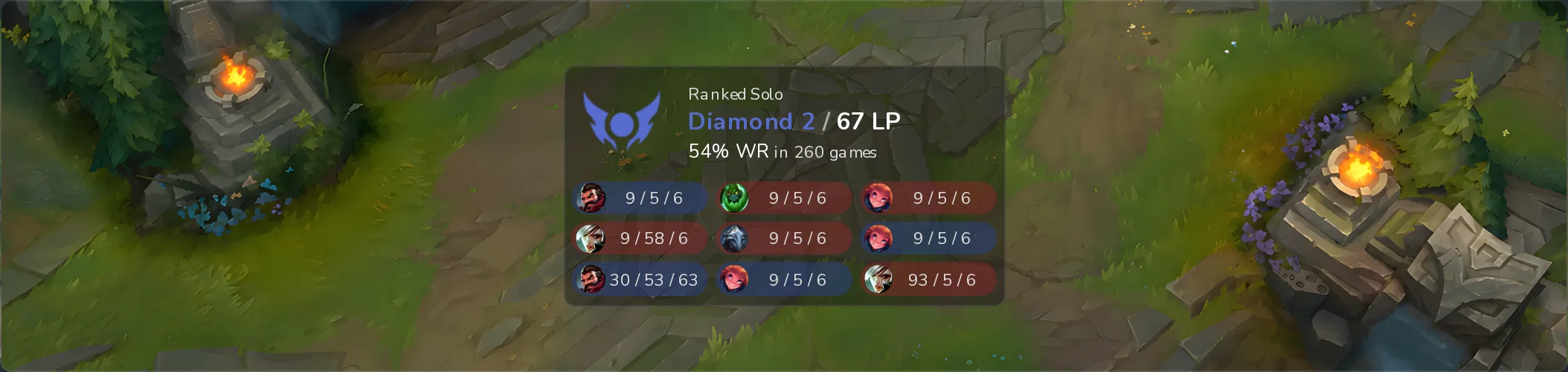
Your queue, rank, LP and win rate, with the champion and K/D/A of your latest games.
| Option | What it does |
|---|---|
| Matches to show | How many games to list: 0, 3, 6 or 9. |
| Background color | The box's background color. |
v4: Animated Emblems
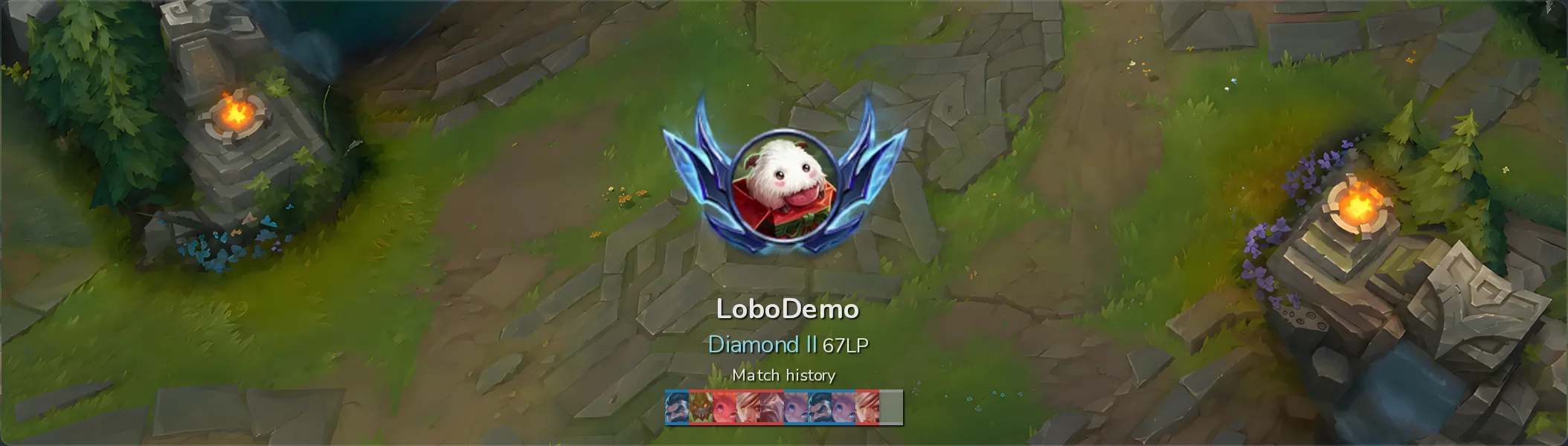
An animated tier emblem around your profile icon, with your name, rank and LP. Below them, a section alternates between your match history and your win rate.
| Option | What it does |
|---|---|
| Show rotation section | Shows or hides the section that alternates match history and win rate. |
| Orientation | Vertical (emblem above the text) or Horizontal. |
| Animated tier | Animates the emblem. Only with Vertical. |
v3: Simple
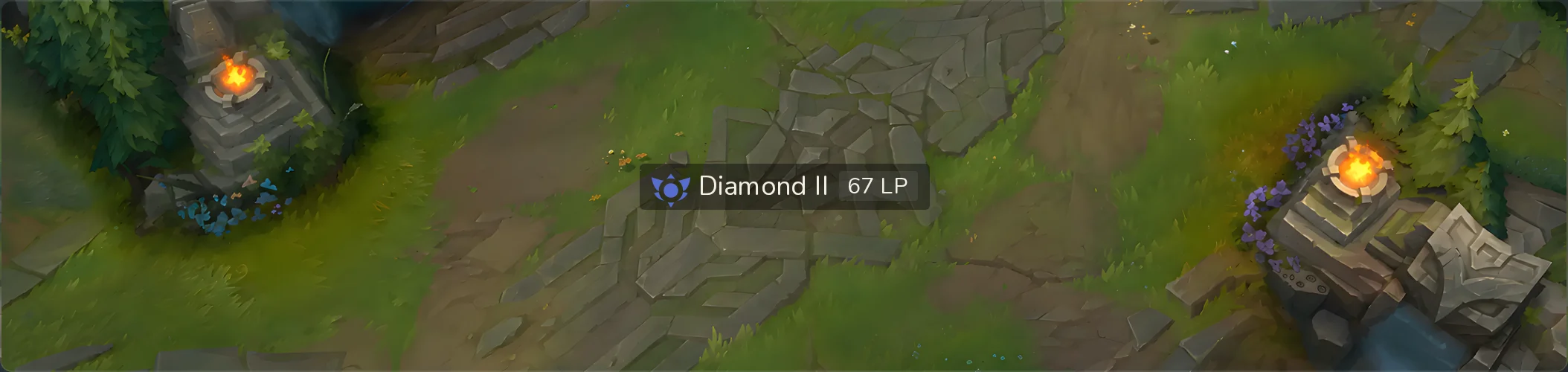
Your tier and LP on a single line: the smallest box.
| Option | What it does |
|---|---|
| Theme | Dark or Light. |
v2: Old Ranked Emblems
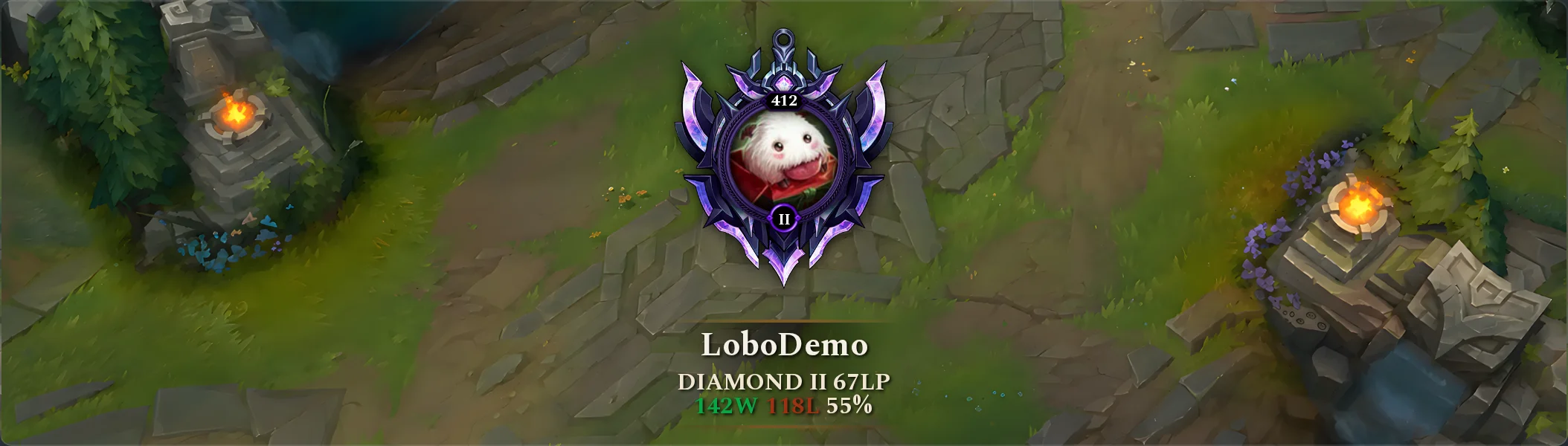
The ranked emblem of earlier seasons, with your profile icon, level and division inside it, and your name, rank, LP, wins, losses and win rate below.
| Option | What it does |
|---|---|
| Summoner Info | Shows your profile icon, level and division inside the emblem. Off, the box shows the plain emblem. |
| Winrate | Shows your wins, losses and win rate. |
| Floating animation | Makes the emblem float gently. |
v1: Classic
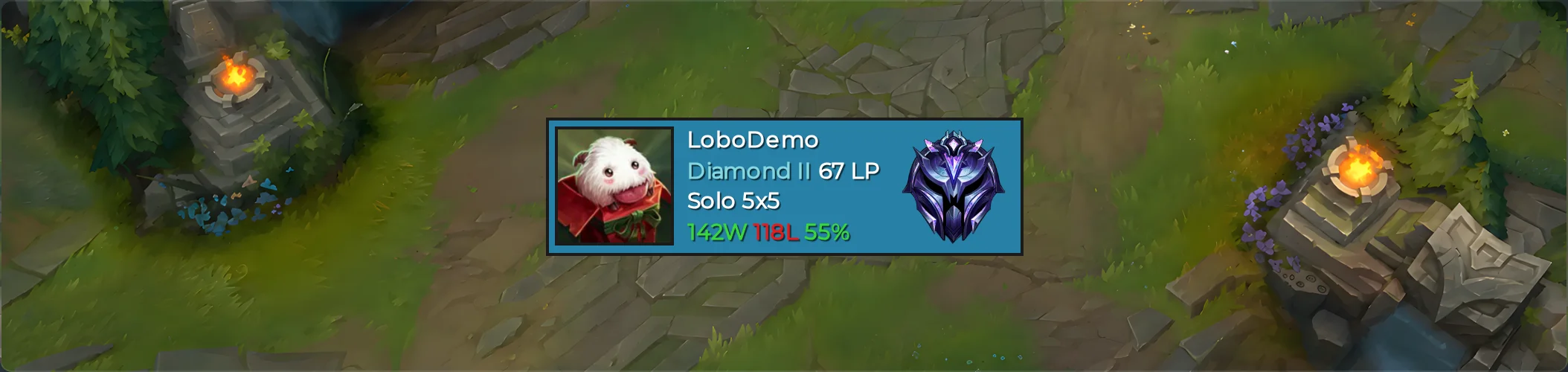
The original LoboBot card: profile icon, name, rank and LP, queue, wins, losses and win rate, and your league emblem. It has the most options.
| Section | Options |
|---|---|
| Box options | Background color, Padding, Border radius, Border width, Border color, Shadow (blur), Shadow color |
| Profile icon | Enabled, Size, Border radius, Border width, Border color |
| Summoner info | Text color, Text shadow (horizontal), Text shadow (vertical), Text shadow (blur), Text shadow color, Text align (Left, Center or Right), Colorized division, Colorized winrate, Space between |
| League icon | Show league icon, League icon size |
| Presets | Default, Red Neon, Retro, Translucent, Transparent or Violet |
Next steps
- League of Legends boxes: create, edit and delete a box.
- Add a widget to OBS or Streamlabs: paste the URL and size the source.