
Teamfight Tactics boxes
A Teamfight Tactics box shows your Riot ID, region, rank, LP and wins in Ranked or Double Up, with the placements of your last 10 games. You create it in the dashboard and add its URL to OBS as a browser source.
What you need: a Teamfight Tactics account linked in Riot Accounts (see Link your Riot accounts). Until you link one, TFT Boxes asks you to add it first.
Create a box
- In the dashboard, open TFT Boxes and click New box.
- On Account, click the account the box reads from.
- On Box version, click Classic, the only version.
- On Personalization, under Queue, pick Ranked or Double Up.
- Adjust the options, or click one of the Presets. The preview updates as you go.
- Click Create box. Your box appears under Your boxes.
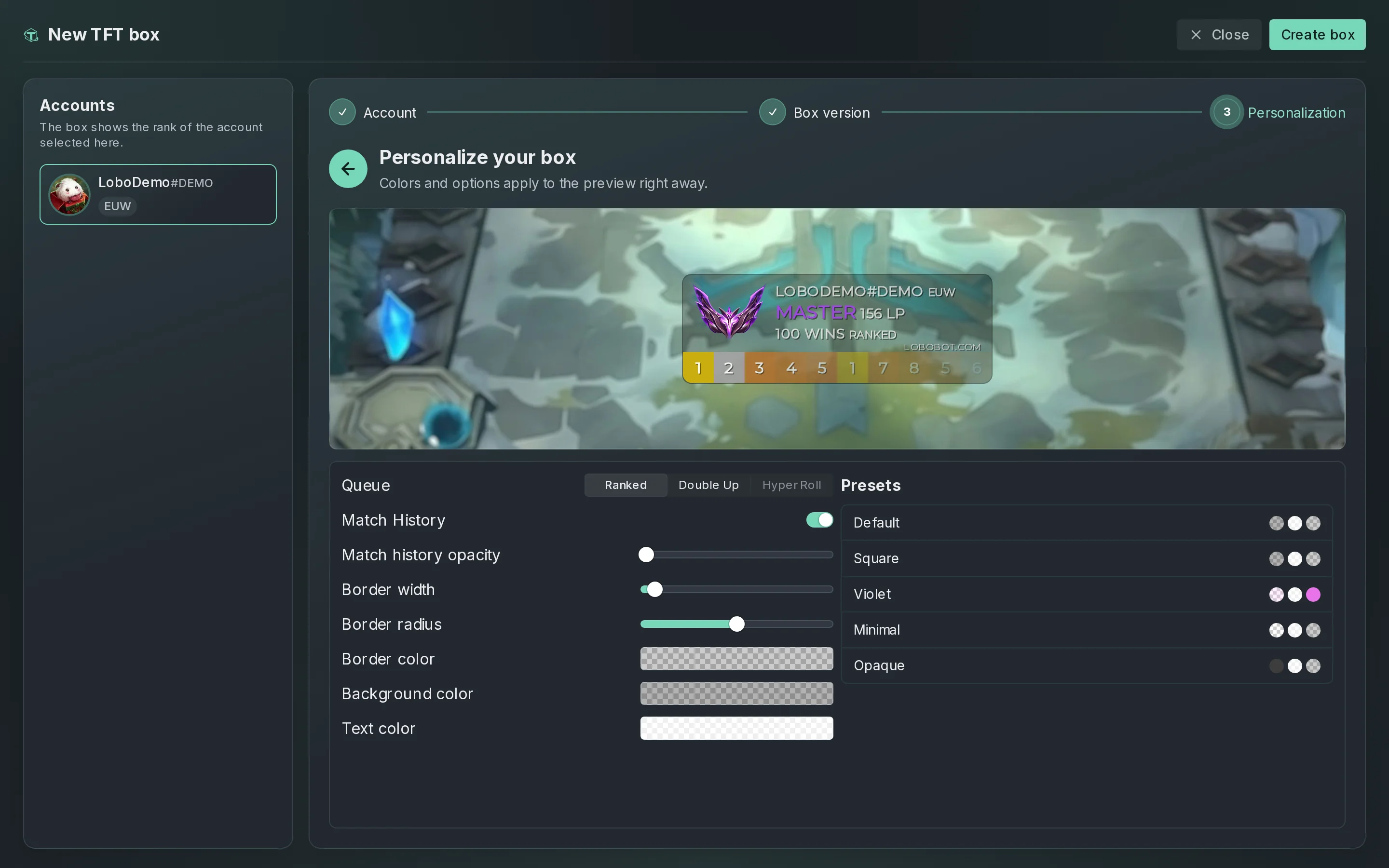
Hyper Roll still shows under Queue, greyed out: you can no longer pick it.
Options
| Option | What it does |
|---|---|
| Queue | Ranked or Double Up: the rank, wins and placements the box shows. |
| Match History | Shows or hides the placements of your last 10 games. |
| Match history opacity | How faint the oldest placement gets: the newest is always fully visible. |
| Border width, Border radius | The thickness and the roundness of the border, from 0 to 20. |
| Border color, Background color, Text color | The box's colors. |
| Presets | Default, Square, Violet, Minimal or Opaque. |
Copy the box URL
- Under Your boxes, click the box.
- Under Browser source URL, click Copy.
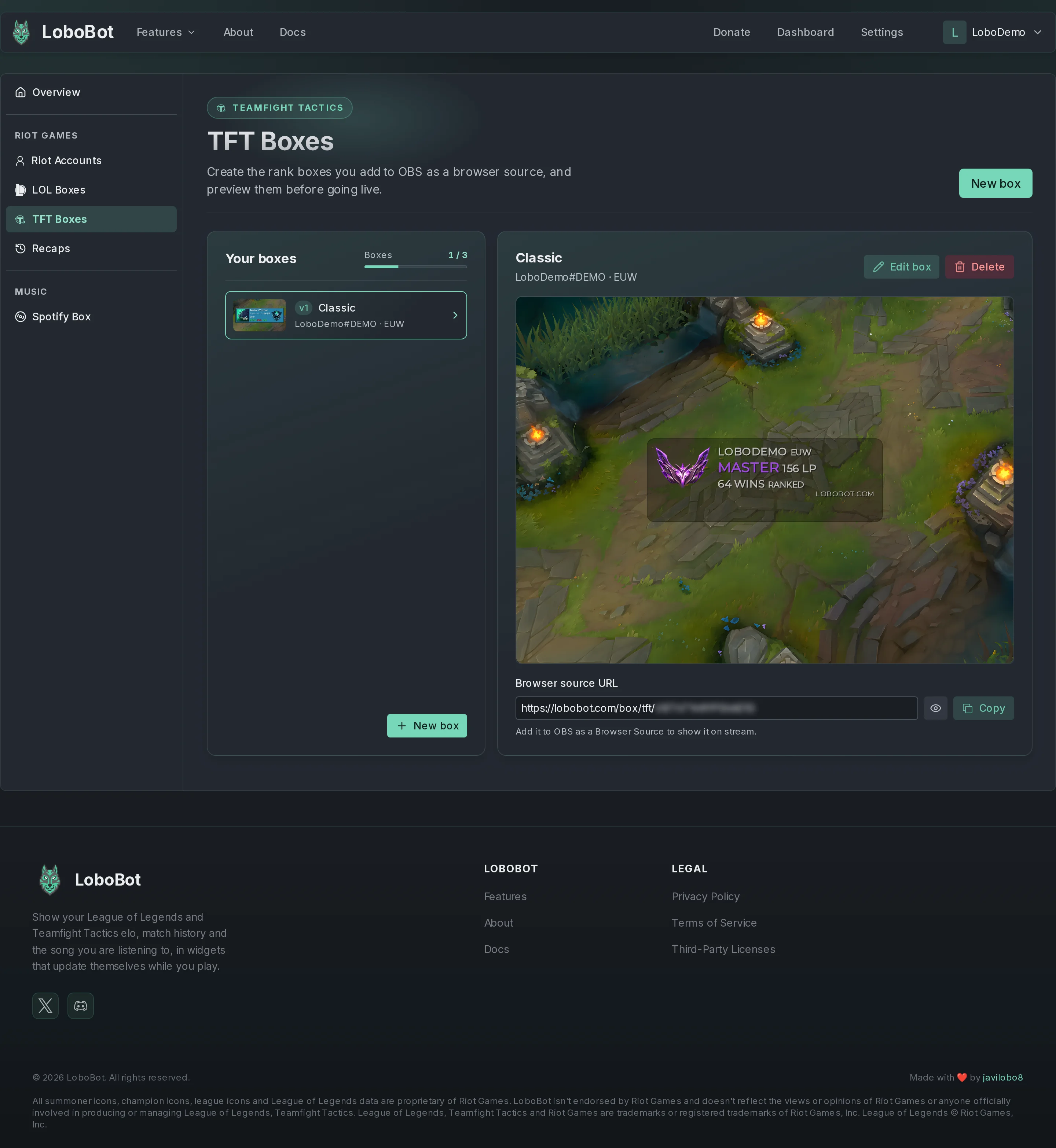
The URL looks like https://lobobot.com/box/tft/…. Keep it private: anyone with it can show your box. Then paste it into OBS: see Add a widget to OBS or Streamlabs.
Edit or delete a box
To edit a box:
- Under Your boxes, click the box.
- Click Edit box.
- Make your changes.
- Click Save changes. LoboBot confirms with Box updated successfully!.
The URL stays the same, and the source picks up your changes within 2 minutes.
To delete a box:
- Under Your boxes, click the box.
- Click Delete.
- Click Delete to confirm.
Its URL stops working, and this cannot be undone.
Limits and the LOBOBOT.COM label
- You can have up to 3 Teamfight Tactics boxes. The Boxes meter under Your boxes shows how many you have; when it is full, delete a box to create a new one.
- Your box shows a small LOBOBOT.COM label.
If something goes wrong
| What you see | Why | Fix |
|---|---|---|
| You reached the maximum number of boxes when you click Create box | You already have 3 boxes. | Delete a box you no longer use. |
| The source shows Loading... and never your box | The box, or the account it reads from, was deleted, or LoboBot cannot load the box right now. | Check that the box is still under Your boxes. If it is not, copy the URL of a current box and paste it into the source's URL. If it is, the source tries again every 2 minutes. |
| Your rank or last placement has not changed yet | LoboBot refreshes Riot data on a schedule. | See How often data updates. |
Next steps
- Add a widget to OBS or Streamlabs: paste the URL and size the source.
- How often data updates: when a new rank or game reaches your box.